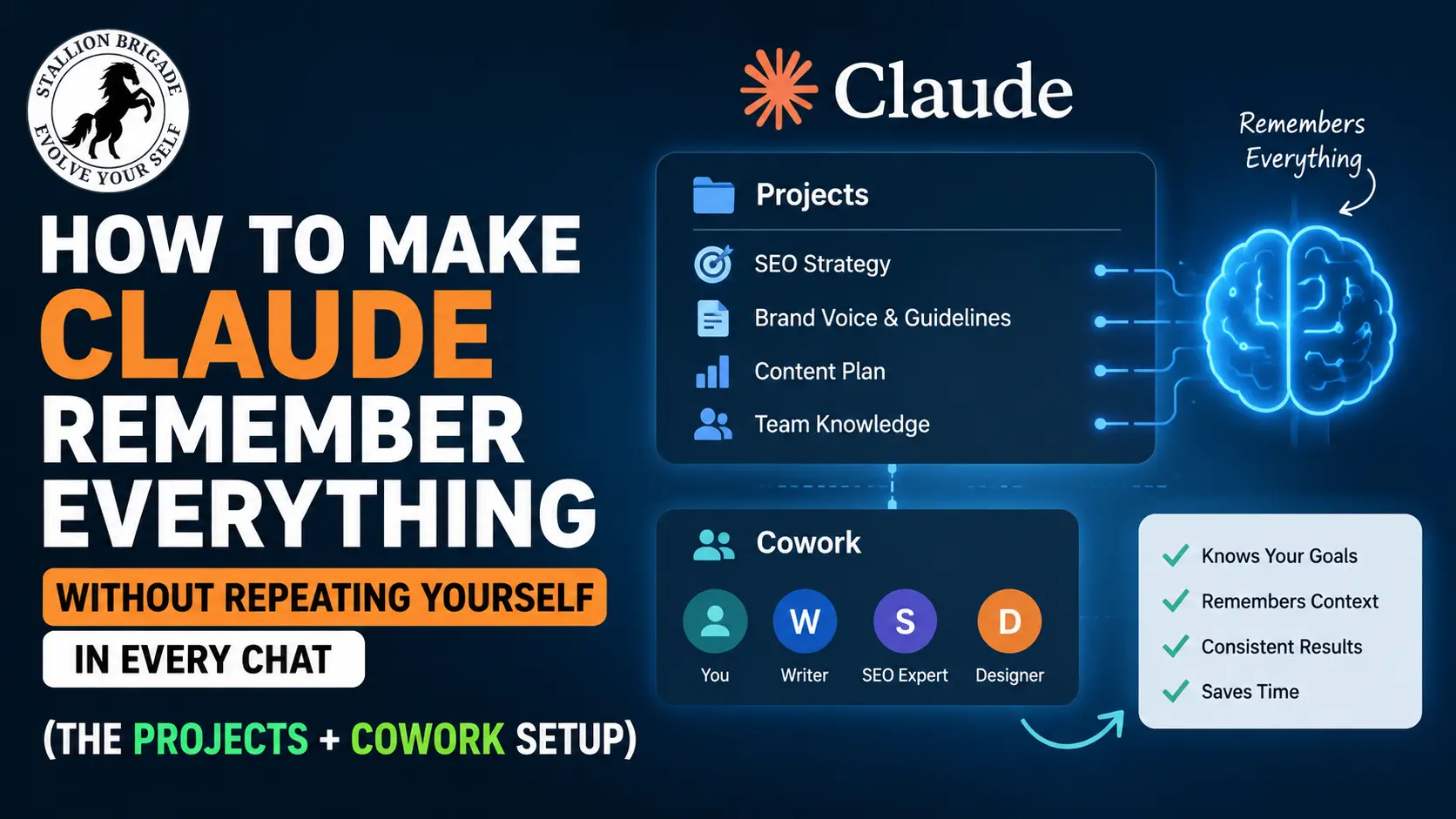
Stop Re-Explaining Yourself to Claude Every Day: This 20-Minute Setup Fixes It for Good
Quick Answer: Claude forgets everything the moment you start a new chat – unless you use Projects or Cowork correctly. The fix takes 20 minutes, works across every future conversation, and means you never re-explain your brief, voice, or working rules again. Here’s the exact setup.
Why Claude keeps forgetting you
By default, each new Claude conversation starts completely blank. Even if you used Claude yesterday and spent 30 minutes explaining your brand, your client, and your writing style, it remembers none of that today.
Claude Projects gives you persistent instructions, but not persistent memory – there’s a difference that matters when you’re working on anything that spans more than a single conversation. Think of it this way: Projects remember who you are. They don’t automatically remember what you’ve been doing. You solve both problems with two separate tools.
The two-layer solution
Layer 1 – Claude Projects handles your permanent context: your brief, your tone, your rules, your uploaded reference files. This loads automatically every time you open a new chat inside that project.
Layer 2 – Context files (.md) carry your personal knowledge: your voice, your anti-AI word list, your client specifics. These live inside the Project and give Claude a full picture before it writes a single word.
Together, they replace the habit of re-explaining yourself at the start of every session.
Step 1: Create a dedicated Project
Go to claude.ai/projects. Click New Project. Name it specifically – “XYZ Content” or “Client X SEO Work,” not “My Project.”
Inside the Project, you’ll see two sections: Instructions and Knowledge. Use both.
In Instructions, write your permanent working rules. Example:
“You are writing for XYZ.com, a real estate website. Tone: direct, no fluff, human. Format: short paragraphs, no bullet lists unless asked. Target reader: Prospective home buyers and renters. Never use: delve, leverage, seamless, transformative, empower.”
This runs automatically in every chat you open inside this project. Projects preserve instructions and documents indefinitely – the project’s instructions, files, and conversation history are accessible across all chats within that workspace.
Step 2: Build your context file (the real memory layer)
Create a plain text file on your computer. Call it about-me.md. Write it like a brief to a new team member:
Name: Nashaat Quadri
Site: XYZ.com
Niche: Commercial properties for rent in Florida
Audience: Prospective home buyers and renters
Writing style: Conversational, pyramid structure, short paragraphs
What I NEVER write: Fluff intros, generic tips, anything that doesn’t answer the question in paragraph 1
Current content cluster: Commercial properties in Florida
Published posts: [list your top 5 URLs here]
Upload this file to your Project’s Knowledge section. Claude reads it at the start of every conversation inside that Project. You can tell Claude exactly what to remember, and it carries those instructions into every conversation – not as vague context, but as actual decision-making criteria.
Step 3: Add Cowork for file-level work (if you use the desktop app)
If you’re using Claude Cowork on the desktop, add one more layer. Create a folder on your computer – call it Claude-Cowork. Inside, create four subfolders: about-me, templates, projects, outputs.
Drop your about-me.md into the about-me folder. Add any client briefs, past articles, or style templates to templates. Then in Cowork, go to Settings → Global Instructions and add:
“Always read my about-me folder completely before starting any task. Never save outputs outside the outputs folder.”
Now every Cowork session starts with Claude already knowing your voice, your rules, and your working style – without you typing a word.
Critical note: A common mistake is opening Cowork and selecting a folder without creating a Project. These look similar but behave completely differently. Folder selection gives you file access. Project creation gives you file access plus persistent memory plus custom instructions. Always go Project.
What this looks like in practice
Before this setup: you open Claude, spend 10 minutes explaining your site, your tone, your brief. Output is still generic because Claude had no real context.
After: you open your Project, type “Write a 600-word answer post on [topic]. Use AskUserQuestion first.” Claude already knows your voice, your rules, your cluster, and your audience. The first draft needs one round of edits, not five.
Anthropic activated memory for all Claude users (free and Pro) in March 2026. Claude now remembers your preferences, ongoing projects, and working style across every conversation automatically. But Projects and context files go further – they give you intentional, editable memory you control completely.
The one-time setup: 20 minutes today, hours saved every week
Build your about-me.md file → Create your first Project at claude.ai/projects → Paste your working rules into Instructions → Upload the file to Knowledge. Done.
Every conversation you open inside that project starts with Claude already knowing everything it needs to do real work.
Track What’s Actually Working Across Projects
Once your Projects and context files are running, pair them with the best Claude SEO tracking software available – tools like Google Search Console, Ahrefs, or SE Ranking – by uploading your weekly performance data directly into your Claude Project as a CSV or PDF.
Instead of switching between five tabs to interpret your numbers, ask Claude: “Here’s my GSC data from this week. Which posts gained position? Which lost? What should I update next?” Claude reads your tracking data inside the same Project that already knows your site, your cluster, and your writing rules.
The result is a weekly SEO review that takes 15 minutes instead of two hours – with Claude connecting your ranking changes directly to the content decisions you made last week. This is where persistent context stops being a writing tool and becomes a genuine strategy system.
The best Claude SEO tracking software depends on whether you are tracking your brand’s organic visibility inside Claude’s chat recommendations (Generative Engine Optimization / GEO) or using Claude Code to automate traditional search engine tracking.