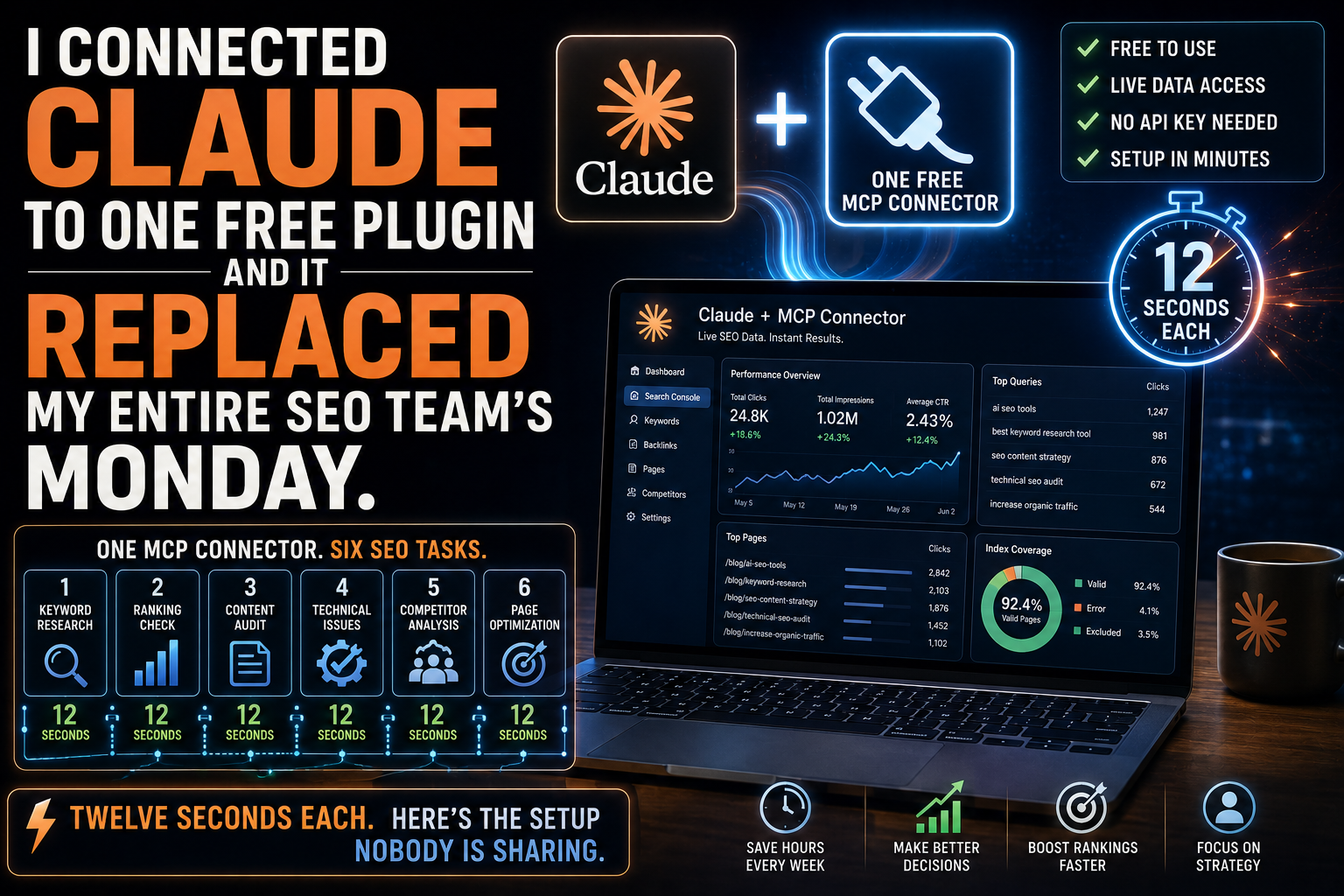
One MCP Connector. Six SEO Tasks. Twelve Seconds Each. Here’s the Setup Nobody Is Sharing.
CLAUDE PLUS ONE MCP CONNECTOR EQUALS YOUR BEST SEO EMPLOYEE
The six things that happen when you stop exporting CSVs and start talking to your search data in plain English.
Your SEO analyst spends Monday morning the same way every week. Export GSC data. Open a spreadsheet. Build a pivot table. Squint at the numbers. Write a summary. Send it to you at 11 AM. Three hours of work for two paragraphs of insight.
Now imagine this instead. You open Claude. You type: “Which of my pages lost the most clicks in the last 14 days, and why?” Claude queries your live Google Search Console data, isolates the pages, separates ranking drops from CTR drops from impression losses, and hands you a prioritised diagnosis with recommended fixes.
Twelve seconds. Not three hours. Twelve seconds.
That is what happens when you connect Claude to one MCP connector. Not a hypothetical. Not a demo. A workflow that is live and operational right now for anyone with a Claude Pro account and five minutes of setup time.
This article walks through the six things Claude does once connected, the exact prompts that trigger each one, and the setup process that makes it work. By the end, you will understand why the SEO role is shifting from analyst to product manager – and why the people who cannot prompt an AI to read their own search data are not just behind, they are invisible.
WHAT MCP ACTUALLY IS – IN ONE PARAGRAPH
MCP – the Model Context Protocol – is an open standard that gives Claude a structured, secure way to call external APIs in real time. MCP servers are services that expose tools, data, and actions from external platforms such as Google Search Console, analytics platforms, or keyword databases. These servers allow the AI to retrieve information and interact with real datasets instead of relying only on its training data.
In practice, it means Claude stops guessing and starts reading. Without MCP, you paste data into Claude and ask it to interpret a static snapshot. With MCP, Claude queries your live data, asks follow-up questions against the API, and grounds every recommendation in numbers that are current as of this moment.
Here is how it works: you ask Claude a question like “Which of my pages has the most impressions but the lowest click-through rate?” Claude identifies the relevant tool, calls your connected MCP server – for example, Google Search Console – retrieves the data, and delivers the answer in plain English along with context and recommendations.
One connection. No CSV exports. No tab switching. No copy-pasting data into prompts. Just a conversation with your search data.
THE SIX THINGS CLAUDE DOES ONCE CONNECTED
CAPABILITY 1: DIAGNOSES TRAFFIC DROPS IN ONE PROMPT
The problem every SEO knows: traffic dropped last week and nobody can tell you why without two hours of analysis. Was it a ranking slip? A CTR decline? Lost impressions from a search demand change? Each diagnosis requires a different fix, and most teams spend more time diagnosing than fixing.
The prompt: “Pull my GSC data for the last 28 days and compare it to the previous 28 days. Identify every page that lost more than 20% of its clicks. For each page, tell me whether the drop was caused by a position decline, a CTR decline, or an impression decline. Rank the pages by total clicks lost.”
What Claude returns: a structured table – page URL, clicks lost, cause of the drop, current position versus previous position, current CTR versus previous CTR, and a one-line recommended action for each.
The diagnosis that used to require exporting data, building pivot tables, cross-referencing position and CTR columns, and manually categorising each drop is now a single prompt.
Instead of exporting CSVs, pivoting tables, and building manual dashboards, you have an always-on analyst capable of cross-referencing dimensions and surfacing patterns that would typically take hours to uncover.
The recommended action for each page is specific. “Position dropped from 4 to 9 – review content freshness and competitor new entries” is different from “CTR dropped from 4.2% to 1.8% while position held – rewrite the meta title and description” is different from “impressions dropped 40% – search demand for this query declined, consider targeting a related growing query.” Each diagnosis points to a different fix. Claude makes all three distinctions automatically.
Hours of pivot tables replaced by one answer.
CAPABILITY 2: SURFACES STRIKING-DISTANCE KEYWORDS
The concept of striking distance is familiar to every SEO: keywords where you rank between positions 11 and 20, close enough to page one that a focused push – better content, stronger on-page signals, a few internal links – can move you into the top 10 where the real traffic lives.
The problem is finding them efficiently. In a traditional workflow, you export your GSC queries, filter for positions 11-20, sort by impressions, cross-reference against actual click potential, and try to estimate which ones are worth the effort. It takes 30 to 60 minutes per property per week.
The prompt: “Find all queries where I currently rank between positions 11 and 20, with at least 300 monthly impressions. For each, show me the current page ranking for it, the estimated click potential if I reach the top 3, and a one-line recommendation for what to improve on that page. Sort by traffic upside, not just volume.”
What Claude returns: your next ten wins, ranked. Not ranked by raw search volume – which is how most tools sort by default and which leads you to chase high-volume keywords where you have no realistic chance – but ranked by the actual traffic upside given your current position and the realistic click-through rate at higher positions.
This is the kind of analysis that GSC MCP connectors with tools like quick-win detection were specifically designed for – finding pages ranking between positions 8 and 15 with more than 500 monthly impressions.
The sorting matters. A keyword with 5,000 monthly searches where you rank 19th is not necessarily a better opportunity than a keyword with 800 monthly searches where you rank 11th.
The second keyword needs one position change to reach page one. The first needs nine. Claude calculates the real-world traffic uplift, not the theoretical maximum, and prioritises accordingly.
CAPABILITY 3: CATCHES CTR UNDERPERFORMERS WEEKLY
This is the money left on the table that most SEO teams never find because they are not looking for it systematically.
You have pages that rank well – positions 1 through 10 – but get clicked far less often than they should. The ranking is fine. The title and meta description are the problem. They are not compelling enough, not specific enough, or not differentiated enough from the other results on the page.
A good starting point for most SEO teams is asking Claude to identify queries in the last 28 days that have impressions above 500 but a CTR below 1.5%, grouped by page and sorted by impressions descending.
The prompt: “Find pages that rank in positions 1-10 with at least 500 impressions in the last 28 days, where the CTR is below the expected benchmark for their position.
For each page, show me the current title tag, the current meta description, the ranking query, and the CTR gap – meaning how many additional clicks I would get if the CTR matched the position benchmark. Sort by impressions lost to below-benchmark CTR.”
What Claude returns: a prioritised list of pages where rewriting the title and meta description alone – no content changes, no link building, no technical fixes – would produce more clicks. The “impressions lost” column tells you exactly how large the opportunity is.
A page with 2,000 impressions and a 1.2% CTR at position 3, where the benchmark CTR is 8%, is leaving roughly 136 clicks per month on the table.
That is traffic you have already earned the ranking for and are simply failing to capture because the search snippet is not compelling enough.
This is the highest-ROI SEO activity that exists: no new content required, no waiting for Google to re-evaluate your page, just a title and meta description change that takes effect within days of Google recrawling the page.
Run this weekly. Set it as a Monday morning recurring prompt. The pages that appear on this list are your easiest wins every single week.
CAPABILITY 4: RUNS COMPETITOR GAP ANALYSIS
You know what you rank for. You rarely know what your competitors rank for that you do not. That gap – the queries where competitors have visibility and you have none – represents the content you are closest to capturing because your site likely has topical relevance but has never created a dedicated page for those queries.
The prompt: “Search the web for the top 10 pages ranking for [your primary topic keyword]. Identify the queries and subtopics those pages rank for that I do not appear in my GSC data for at all. Map each missing query to the closest existing page on my site, if one exists.
If no existing page is relevant, flag it as a new content opportunity. Sort by estimated search volume.”
What Claude does: it cross-references your GSC data (what you rank for) against the competitive landscape (what others rank for) and produces two lists.
The first list is queries you can capture with on-page improvements to existing pages – you already have the content, you just need to expand it, restructure it, or optimize it for the missing queries.
The second list is queries that require entirely new content. The first list is always the higher-priority action because it produces results faster.
This analysis traditionally requires an Ahrefs or Semrush “Content Gap” report, which costs $129 to $140 per month for the tools alone.
MCP servers are proving really useful for reducing SEO analysis time – work that would normally take a couple of hours across GSC exports, PageSpeed checks, and spreadsheets can now be done in minutes.
That makes technical SEO auditing far more scalable.
CAPABILITY 5: FIXES ON-PAGE ISSUES – DOES NOT JUST LIST THEM
This is where most SEO tools stop and where Claude with MCP keeps going.
Traditional tools tell you “your title tag is too long” or “your H1 does not contain the primary keyword.” You still have to write the fix yourself.
Claude does not stop at the diagnosis. It reads the page, understands the content, and produces the actual rewrite.
The prompt: “Analyse this page: [URL]. For the target keyword [keyword], rewrite the title tag under 60 characters, the meta description under 155 characters, and the H1 to better match the query intent.
Also suggest three H2 subheadings that address subtopics the page is currently missing based on what the top-ranking competitors cover.”
What Claude returns: copy you can ship. Not a recommendation to “improve your title tag.” Three actual title tag options, each under 60 characters, each containing the keyword, each differentiated by the hook (benefit, number, question).
A meta description with a clear value proposition and a call to action. A revised H1 that matches the primary search intent. And three specific H2 subheadings that close the content gap against competitors.
The brief is done in seconds. A task that typically takes a junior SEO analyst 15 to 20 minutes per page – reading the page, analysing the SERP, drafting title variations, writing the meta, checking character counts – is collapsed into a single prompt with implementation-ready output.
Scale this across your top 20 pages and you have completed a full on-page optimisation sprint in the time it would traditionally take to optimise two pages.
CAPABILITY 6: WRITES THE MONDAY SEO REPORT ITSELF
Every Monday, someone on the team spends two to three hours pulling the weekly digest. Clicks, impressions, top movers, pages that gained, pages that dropped, and three priorities for next week. The report follows the same structure every week. The data changes, the format does not.
This is exactly the kind of repeatable, structured task that Claude with MCP was built for.
The prompt: “Pull my GSC data for the last 7 days. Compare it to the previous 7 days. Produce a weekly SEO report with the following sections:
1. Summary – total clicks, impressions, average position, and average CTR, with week-over-week change for each.
2. Top 5 gaining pages – pages with the largest click increases, with the query driving the gain. 3. Top 5 declining pages – pages with the largest click losses, with the likely cause.
4. Three priorities for next week – the three highest-impact actions based on this week’s data.
Format the report so it can be copied directly into a Slack message or email.”
What Claude returns: a formatted weekly report. Every number comes from your live GSC data. Every recommendation is grounded in what actually changed this week, not generic advice.
The “three priorities for next week” section is the most valuable part because it translates raw data into action – something most automated reporting tools never do.
Two to three hours every Monday, eliminated. The report is ready before your first coffee is finished.
THE SETUP: HOW TO CONNECT CLAUDE TO YOUR GSC DATA
Multiple options exist depending on your technical comfort level and budget:
Connector — Setup Time — Cost — Technical Skill Required AminForou GSC MCP (open source) — 15-20 min — Free — Terminal commands, Google Cloud setup Suganthan GSC MCP (20 tools) — 15-20 min — Free — npm install, OAuth setup Windsor.ai MCP — Under 2 min — Freemium — Zero code, browser-based Supermetrics MCP — Under 2 min — Paid — Zero code, browser-based Coupler.io MCP — Under 5 min — Freemium — Browser-based, scheduled sync SE Ranking MCP — Under 5 min — Paid (with SE Ranking sub) — Click to connect in Claude Easy MCP AI (WordPress) — 5 min — Free plugin — WordPress admin only
The most effective method is using an MCP connector. This allows a live, two-way conversation between Claude and the GSC API, bypassing the limitations of manual file uploads. You can export CSV files for free, but you are limited to 1,000 rows and static data.
For non-technical users, the fastest path is a managed connector like Windsor.ai or Supermetrics. The setup takes under two minutes with zero coding. The connector handles all the API connections, authentication, and data formatting behind the scenes.
Just connect, authorize, and start asking questions in plain English. Google Search Console retains 16 months of search analytics data. The connector can pull the full 16-month history, and you can use Claude to analyze trends across the entire period.
For technical users who want maximum control, the open-source options from AminForou or Suganthan provide direct API access. The Suganthan GSC MCP provides 20 free analysis tools including quick-win detection, content decay monitoring, cannibalisation auditing, and CTR benchmarking – all queryable through natural language in Claude.
MCP connectors require Claude Pro ($20/month) or Claude Teams ($25/month per user). Connectors are not available on Claude’s free plan. Custom connectors are available on every Claude plan including the free tier, though free users are limited to one custom connector at a time.
THE WEEKLY OPERATING RHYTHM – FROM REACTIVE TO SYSTEMATIC
Once the connector is live, the SEO workflow shifts from reactive firefighting to a systematic weekly loop.
Monday morning. Open Claude. Run the weekly report prompt (Capability 6). Review the top movers and decliners. Identify one traffic drop to investigate further.
Monday, ten minutes later. Run the traffic diagnosis prompt (Capability 1) on the declining pages. Determine whether the drops are position-based, CTR-based, or impression-based. Assign the appropriate fix to each.
Tuesday. Run the CTR underperformer scan (Capability 3). Identify the three pages with the largest CTR gap. Run the on-page fix prompt (Capability 5) for each. Ship the title and meta rewrites.
Wednesday. Run the striking-distance scan (Capability 2). Identify the five best opportunities within reach of page one. Create content briefs or on-page improvement plans for each.
Thursday. Run the competitor gap analysis (Capability 4) for one focus keyword cluster. Map the missing queries to existing pages or flag new content opportunities.
Friday. Compile the weekly work summary and plan next week’s targets.
Total weekly time: approximately three hours. Weekly output: one complete diagnostic report, three CTR-optimised pages, five striking-distance action plans, one competitor gap analysis, and a documented priority list for next week.
That is an SEO operation running on one person and one MCP connector.
WHAT THIS MEANS FOR THE SEO ROLE
The six capabilities described in this article are the six tasks that consume the majority of an SEO analyst’s working hours: diagnosis, opportunity identification, performance monitoring, competitive analysis, on-page optimisation, and reporting.
When all six are handled by Claude connected to live data, the human role shifts. You stop being the person who pulls the data and starts being the person who decides what to do with it. You stop being the analyst and start being the product manager of your organic search channel.
MCP for Google Search Console eliminates the bottleneck of pulling data into a format you can act on, which typically takes 30 to 60 minutes per property per week. That time is now zero. The question is no longer “how do I get the data?” The question is “what is the smartest thing to do with it?”
That is a fundamentally different job. It requires strategic judgment, not spreadsheet skills. It requires understanding business context, not pivot table mechanics. And it is a job that most SEO professionals are already capable of doing – they have just been too busy with the manual analysis to do it consistently.
The MCP connector does not eliminate the SEO role. It elevates it. But only for the people who learn to use it. For everyone else, the gap between what is possible and what they are delivering widens every week.
THE HONEST LIMITATIONS
Claude with MCP is not a complete replacement for every SEO tool and function. Here is what it does not do.
It does not track rankings over time. MCP provides snapshots of your current GSC data, not historical rank tracking across tools. For daily rank monitoring, you still need a dedicated rank tracker.
It does not provide backlink data. GSC does not expose backlink information through its API. For link analysis, Ahrefs or similar tools are still required.
It does not crawl your entire site. Claude analyses one page or one dataset per prompt. For site-wide technical audits across hundreds of pages, Screaming Frog or a similar crawler is still needed.
It does not replace strategic judgment. Claude identifies the opportunities and diagnoses the problems. Deciding which opportunities to pursue, how to allocate resources, and what trade-offs to accept is still a human decision. The AI is the analyst. You are the strategist.
Acknowledging these boundaries is more useful than pretending they do not exist, because it lets you build a workflow that uses the right tool for each job rather than forcing one tool to do everything badly.
THE BOTTOM LINE
Your SEO analyst is spending 60 to 70 percent of their time on tasks that Claude with one MCP connector can do in seconds: pulling data, building reports, identifying opportunities, diagnosing problems, and writing first drafts of on-page fixes.
The remaining 30 to 40 percent – strategic decisions, stakeholder communication, cross-functional alignment, brand judgment – is the part that actually requires a human. And it is the part that most SEO professionals never have enough time for because they are buried in the analysis work.
The MCP connector does not take the job away. It gives the job back. The real one. The one you were hired to do before the spreadsheets took over.
Connect the MCP. Run the six prompts. Get your Mondays back.
Further Reading:
Claude for SEO: The Beginner’s Bible
Opus 4.8 Killed the SEO Manager Role. Most People Haven’t Realized Yet.
How Claude Opus 4.8 Is Reshaping SEO Workflows
SOURCES
- SEOptimer. “Top SEO MCP Servers in 2026: Tools and Use Cases.” May 2026. Cited for: MCP architecture, AminForou GSC server, time savings, Paul Pennington quote.
- Suganthan Mohanadas. “Google Search Console MCP: Step by Step Setup Guide.” April 2026. Cited for: 20 free tools, quick-win detection, OAuth setup.
- Windsor.ai. “How to Send Google Search Console Data to Claude.” April 2026. Cited for: no-code setup, 16-month history, CSV limitations.
- Supermetrics. “Connect Google Search Console to Claude.” June 2026. Cited for: enterprise connector, 200K+ companies.
- Coupler.io. “How to Connect Google Search Console to Claude.” June 2026. Cited for: scheduled sync, refresh cadence guidance.
- SE Ranking. “SEO MCP Server – API Documentation.” May 2026. Cited for: one-click Claude Desktop setup, 7 Claude Skills.
- Composio. “Google Search Console MCP Integration with Claude Cowork.” June 2026. Cited for: dynamic tool loading, Cowork support.
- TheStacc. “MCP for Google Search Console (2026): 7-Step Setup Guide.” April 2026. Cited for: 1,200 queries/minute free tier, read-only default.
- Nacho Conesa. “How to Connect Claude to Google Search Console.” April 2026. Cited for: always-on analyst capability, prompt examples.
- Passionfruit. “MCP Connectors for Marketing: Connect Claude to Your Entire Stack.” March 2026. Cited for: 12-tool average for marketing teams, full connector directory.
- Easy MCP AI. WordPress plugin. June 2026. Cited for: 214 tools, WordPress-native MCP, 1-click OAuth.
- Ryze AI. “Claude MCP Connector Guide: Setup, Auth & Top Use Cases 2026.” April 2026. Cited for: Pro plan requirement, connector permissions.
Hi,
I just visited stallionbrigade.com and wondered if you’d ever thought about having an engaging video to explain what you do?
Our prices start from just $195 (USD).
Let me know if you’re interested in seeing samples of our previous work.
Regards,
Joanna
Soon customers will expect every website to talk
Think about what happens next.
Someone lands on two competing websites.
One responds instantly. Answers questions. Guides decisions. Books appointments. Captures intent.
The other gives them menus, pages, and a form to submit.
Which company gets the customer?
This is where the internet is heading.
Very soon, customers will expect websites to behave like intelligent assistants — not digital brochures.
Once the standard changes, a normal static website can start to feel behind almost overnight.
Not because their service is weak.
Because the way people interact online changed first.
Websites are evolving into AI interfaces.
This is already happening now.
Check it out now:
https://ollehofficial.com
Kind Regards,
— Sylvester Lapp
The Olleh
When you wish to stop getting future messages from us, kindly fill the form at brnd .li/delist URL with your domain address (URL).
Rynkebyvej 25, Ogdensburg, CA, USA, 91786
Hi,
I was just looking at stallionbrigade.com and wanted to ask: are you looking to scale your Instagram presence right now?
We help brands like yours add 300+ targeted Instagram followers every month using manual outreach and ads. We can grow your existing page or even build a brand-new profile from scratch for you if you’d prefer a fresh start.
Would you like me to send over some more info on how it works?
Thanks for your time,
Gemma