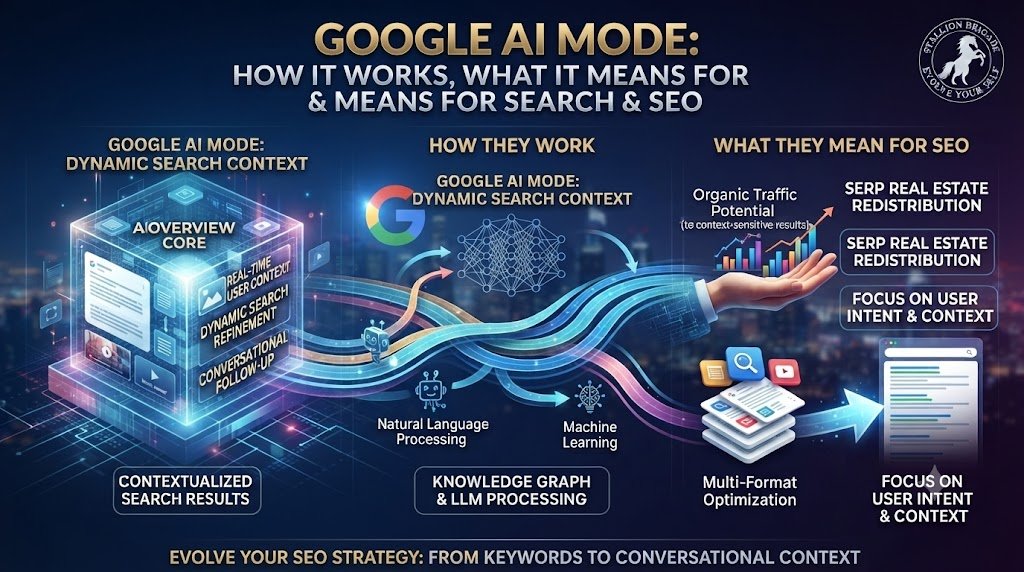
Google AI Mode: How It Works, What It Means for Search & SEO
Article Summary
Google AI Mode is Google’s deeper, conversational AI Search experience, designed for questions that may require multiple searches, comparisons, exploration or follow-up questions. Instead of returning a conventional list of results, AI Mode can interpret a complex question, break it into related subtopics, search across multiple sources, synthesize the findings and provide an AI-generated response with links for further exploration.
This guide explains what Google AI Mode is, how it works, how query fan-out powers it, how it differs from AI Overviews and traditional Google Search, how multimodal search and follow-up questions change the search journey, what AI Mode means for SEO and content creators, and how to measure your site’s visibility in Google’s generative AI features.
Important: Google continues to evolve AI Mode, including its models, interface, capabilities and availability. The mechanics described here explain the publicly documented architecture and should not be treated as a complete description of Google’s proprietary ranking systems.
Contents
- What Is Google AI Mode?
- Why Google Created AI Mode
- How Google AI Mode Works
- The AI Mode Search Journey
- Step 1: Understanding the Question
- Step 2: Determining Intent and Context
- Step 3: Query Fan-Out
- Step 4: Searching Multiple Sources
- Step 5: Synthesizing the Information
- Step 6: Presenting the Answer and Links
- Step 7: Follow-Up Questions
- AI Mode and Multimodal Search
- AI Mode vs Traditional Google Search
- AI Mode vs Google AI Overviews
- AI Mode and Gemini
- AI Mode and Agentic Search
- What Google AI Mode Means for SEO
- How to Prepare Content for AI Mode
- What Not to Do for AI Mode
- Measuring AI Search Visibility
- The Future of Google AI Mode
- Frequently Asked Questions
What Is Google AI Mode?
The Powerful Hook
For more than two decades, Google trained people to search with keywords. AI Mode is training Search to understand the question behind those keywords.
Consider a traditional search:
“best places to visit in Japan”
Now compare it with:
“I’m traveling to Japan with my family for 10 days in April. We want a mixture of historical sites, good food and nature, but we’d rather avoid changing hotels every night. How would you structure the trip?”
The second question isn’t really a keyword query.
It is a research problem.
Answering it properly requires consideration of:
- geography
- travel time
- season
- family requirements
- attractions
- food
- logistics
- accommodation
- itinerary structure
- potentially current conditions and prices
This is the type of complex information need that Google AI Mode is designed to address.
Google describes AI Mode as its most powerful AI Search experience, allowing users to ask complex questions, receive AI-powered responses, explore links and continue with follow-up questions. Its systems can use query fan-out, breaking a question into subtopics and searching for them simultaneously. (Google Help)
The fundamental shift is therefore:
Traditional Search:
Question → Results → User researches
AI Mode:
Question → Research → Synthesis → Answer → Follow-up exploration
That difference has major implications for the future of SEO.
1. What Is Google AI Mode?
Google AI Mode is an AI-powered conversational Search experience designed for complex, nuanced and exploratory questions.
Rather than requiring the user to formulate several separate searches, AI Mode can investigate different aspects of a question and bring the information together into a response.
Google says AI Mode can handle:
- text questions
- voice questions
- images
- files
- follow-up questions
- complex comparisons
- exploratory research
- deeper searches across multiple sources. (Google Help)
The important distinction is that AI Mode is not simply Google’s chatbot operating independently from Search.
Google describes AI Mode as combining advanced AI capabilities with its Search information systems, including web information and other sources such as the Knowledge Graph and shopping information. (blog.google)
In other words:
AI Mode brings generative AI into the Search experience rather than simply placing a chatbot beside Google Search.
2. Why Google Created AI Mode
Traditional Search is exceptionally useful for questions that can be expressed clearly through relatively concise queries.
But users increasingly want to ask questions that are:
- longer
- more conversational
- more contextual
- more comparative
- more exploratory
- multimodal
- iterative
Google’s research around AI Mode found that users were already asking longer and more complicated questions in AI-powered Search experiences. Google reported that early Indian testers, for example, were asking queries two to three times longer than traditional searches. (blog.google)
This suggests an important change in search behavior.
Instead of thinking:
“What keywords should I type?”
users can increasingly think:
“What do I actually want to know?”
That is a profound change in the search interface.
3. How Google AI Mode Works
Google does not publish every detail of the underlying AI Mode architecture. Its ranking systems, models and retrieval mechanisms are continually evolving.
However, Google publicly describes several important components.
A simplified conceptual model is:
User question
↓
Query understanding
↓
Intent and context interpretation
↓
Query fan-out
↓
Multiple searches / retrieval
↓
Information and source evaluation
↓
AI reasoning and synthesis
↓
Generated response
↓
Links and supporting sources
↓
Follow-up question
↓
Additional retrieval
The process isn’t necessarily linear in every situation. AI Mode may perform additional searches or retrieve more information depending on the query.
Google specifically says that AI Mode divides a question into subtopics and searches for each simultaneously using its query fan-out technique. (Google Help)
4. The AI Mode Search Journey
Let’s examine the process in detail.
Stage 1 — Ask
The user expresses a question in natural language.
Stage 2 — Understand
Google interprets the subject, intent and context.
Stage 3 — Decompose
Complex questions can be divided into related subtopics.
Stage 4 — Search
Multiple searches can be conducted across the web and other information sources.
Stage 5 — Evaluate
The system determines which information is useful and relevant.
Stage 6 — Synthesize
The AI generates a response based on the information it has retrieved.
Stage 7 — Explore
The user receives links and can investigate the underlying sources.
Stage 8 — Follow up
The user can continue asking questions without necessarily starting over.
This makes AI Mode fundamentally conversational and iterative.
5. Step 1: Understanding the Question
The first challenge is understanding what the user actually wants.
Consider:
“AI SEO tools”
This could mean:
- a list of tools
- software recommendations
- a comparison
- a definition
- tools for keyword research
- tools for technical SEO
- tools for content optimization
Now consider:
“I’m an SEO consultant managing five client websites. Which AI tools can help me reduce research time without automating the final strategic decisions?”
The second query provides:
- professional context
- number of websites
- desired outcome
- limitation
- implied decision criteria
AI Mode is designed to accommodate this type of natural-language question.
Google’s own description emphasizes that users can ask complex questions rather than having to reduce them to traditional keyword-style searches. (blog.google)
6. Step 2: Determining Intent and Context
Understanding language is only part of search.
The system must also interpret intent.
Suppose someone asks:
“Best laptop for video editing.”
They may be:
- researching
- comparing
- preparing to purchase
- looking for a specific budget
- seeking professional equipment
Add:
“I edit 4K videos in Premiere Pro and travel frequently. My budget is ₹150,000.”
Now the information requirement changes substantially.
The search system has to understand relationships between:
product + use case + technical requirements + budget + user circumstances
This is one reason long-form conversational queries can be so powerful.
The user supplies context that previously had to be added through several separate searches.
7. Step 3: Query Fan-Out
Query fan-out is arguably one of the most important concepts for understanding Google AI Mode.
Suppose the user asks:
“How should I redesign my website for AI Search?”
There isn’t one obvious search that answers the question completely.
The system could need information about:
- technical SEO
- crawlability
- indexing
- information architecture
- internal linking
- content quality
- AI Search
- Google AI Mode
- structured data
- entity understanding
- content architecture
Instead of asking the user to conduct ten searches, AI Mode can break the question into related research areas.
Google says AI Mode uses query fan-out to divide a question into subtopics and issue multiple queries simultaneously. (Google Help)
Why query fan-out matters to SEO
This changes the way we should think about search queries.
A user may type:
“How does AI Search work?”
But the search system may investigate many related questions.
That means the information architecture surrounding a topic can become important.
A page that clearly explains the main concept and connects it to relevant supporting concepts may be more useful than a page optimized around one isolated keyword.
8. Step 4: Searching Multiple Sources
Once the question has been decomposed, AI Mode searches for information.
Google says AI Mode can search across multiple sources and use its broader information systems to help produce responses. Google has described its AI Search systems as drawing on web content as well as sources such as the Knowledge Graph, real-world information and shopping data. (blog.google)
This matters because AI Mode isn’t limited to retrieving a single webpage.
For a complex question, the system may need to bring together:
- official documentation
- expert articles
- research
- product information
- current information
- firsthand perspectives
- other relevant web sources
Google has also been expanding the ways AI Search surfaces original articles, personal perspectives and other useful web content. (blog.google)
For publishers, this reinforces a critical point:
The web remains an important information layer underneath AI Search.
9. Step 5: Synthesizing the Information
After retrieving information, AI Mode can generate an answer.
This is where the experience becomes different from a conventional results page.
Instead of giving the user:
Article A
Article B
Article C
Article D
the system can potentially say:
“There are three major considerations…”
and synthesize information from multiple sources into a coherent explanation.
This is not simply summarization.
The system can organize information around the user’s specific question.
For example, if you ask:
“Compare these three approaches for a small SaaS business with a limited budget.”
the response can be structured around:
- cost
- implementation
- complexity
- potential benefits
- limitations
- suitability for the stated context
The important point is that the user’s question becomes the organizing structure of the search experience.
10. Step 6: Presenting the Answer and Links
AI Mode does not simply produce an answer and hide the web.
Google emphasizes links to supporting web content and has been developing additional ways to help users discover original articles, deeper analyses and firsthand perspectives. (blog.google)
This creates a potentially important visibility opportunity for publishers.
A website can participate in the search journey in multiple ways:
Traditional result
→ user clicks the webpage
AI Mode source
→ webpage is referenced or linked within the AI response
Exploration link
→ user discovers a deeper article after reading the AI response
Google’s recent AI Search updates have specifically emphasized making it easier for users to move from an AI response into useful websites and original content. (blog.google)
11. Step 7: Follow-Up Questions
One of the most important differences between AI Mode and traditional search is conversation continuity.
Imagine asking:
“What is query fan-out?”
AI Mode explains it.
You then ask:
“How does that affect SEO?”
The system can continue from the existing context.
Then:
“How should I structure my website because of it?”
And then:
“Give me an example for an AI Search website.”
The experience becomes a research dialogue.
Google describes AI Mode as allowing users to ask follow-up questions and continue exploring a topic in greater depth. (Google Help)
This has an important implication:
Search intent is no longer necessarily a single query.
It can be a conversation or information journey.
That is a major conceptual shift for SEO.
12. AI Mode and Multimodal Search
AI Mode isn’t restricted to typed text.
Google says users can interact with AI Mode using:
- text
- voice
- images
- files
and Google has integrated visual search capabilities such as Lens into AI Mode. (Google Help)
Imagine photographing a plant and asking:
“What plant is this, where should I keep it indoors, and how often should I water it?”
The system can combine:
visual information + natural-language question + contextual research
This is multimodal search.
The implications for content creators are significant.
Search visibility increasingly extends beyond written webpages to:
- images
- videos
- product information
- visual explanations
- documents
- structured information
- other media
13. AI Mode vs Traditional Google Search
The difference can be summarized simply.
| Traditional Search | Google AI Mode |
| Often starts with keywords | Supports natural-language questions |
| Results are primarily presented as links | Response can synthesize information |
| User performs much of the research | AI can perform part of the research |
| Queries are often separate | Follow-ups can maintain context |
| Primarily text-driven | Multimodal |
| User compares sources manually | AI can organize information across sources |
| Search result is often the endpoint | Search can become an ongoing conversation |
This doesn’t mean traditional Search disappears.
Google says AI Mode remains rooted in its Search systems, and its AI experiences continue to connect users with web content. (blog.google)
The more accurate interpretation is:
AI Mode expands what Google Search can do.
14. AI Mode vs Google AI Overviews
AI Mode and AI Overviews are related but different.
AI Overviews
An AI-generated summary can appear within the normal Search experience when Google determines that an AI response would be useful.
AI Mode
AI Mode provides a more dedicated conversational experience designed for deeper research, complex questions and follow-ups.
A useful mental model is:
AI Overview
“Here is a useful AI-generated overview of your question.”
AI Mode
“Let’s investigate this question together.”
Google says AI Mode expands on what AI Overviews can do, with more advanced reasoning, deeper exploration and follow-up interaction. (Google Help)
For your Stallion Brigade architecture, this distinction is important.
Your:
/ai-search/google-ai-overviews/
page should explain the AI-generated overview layer.
Your:
/ai-search/google-ai-mode/
page should explain the deeper conversational and research-oriented Search experience.
15. AI Mode and Gemini
Google has described AI Mode as bringing its Gemini models into Search.
At its initial launch, Google described a customized version of Gemini 2.5 being used in AI Mode and AI Overviews in the U.S. (blog.google)
Google’s later Search updates have continued to evolve the underlying models and capabilities. In its 2026 I/O announcements, Google said Gemini 3.5 Flash became the default model in AI Mode globally where AI Mode is available. (blog.google)
But it is important not to reduce AI Mode to:
Google + Gemini = AI Mode
AI Mode combines model capabilities with Google’s broader Search infrastructure.
That includes information retrieval, ranking systems, web content and other Google information systems.
The model is therefore one component of a larger Search architecture.
16. AI Mode and Agentic Search
AI Mode is also becoming a bridge toward more agentic Search.
Traditional Search answers:
“Where can I find information about this?”
AI-powered systems increasingly move toward:
“Help me understand this.”
And agentic systems move further toward:
“Help me accomplish this.”
Google has demonstrated agentic capabilities within AI Mode for tasks such as researching options and handling parts of purchasing workflows, while keeping the user involved in completing transactions. (blog.google)
Google’s 2026 Search announcements also describe a broader move toward Search agents that can reason across information and operate in the background for certain tasks. (blog.google)
This suggests a progression:
Search → Answer → Research → Recommendation → Action
For SEO and digital marketing, this could eventually mean that visibility isn’t only about winning a click.
A website may need to become a trusted information or transaction source within an increasingly agentic ecosystem.
17. What Google AI Mode Means for SEO
This is where AI Mode becomes particularly important for Stallion Brigade.
Traditional SEO asks:
How do I rank this page for this keyword?
AI-era search asks a broader question:
Can my information be discovered, understood, retrieved and used when Google’s AI system investigates this subject?
That expands the SEO framework.
Technical accessibility
Can Google crawl and index your information?
Semantic relevance
Does the content genuinely address the subject?
Content architecture
Are related concepts connected logically?
Topical depth
Does your website demonstrate meaningful coverage?
Originality
Does the content contribute something beyond commodity information?
Evidence
Are important claims supported?
Entity clarity
Can Google understand the author, organization and subjects involved?
Authority
Does the site have credible expertise and reputation around the topic?
These are not “AI hacks.”
They are extensions of good search strategy.
18. How to Prepare Content for AI Mode
There is no guaranteed technique for making Google AI Mode cite a particular webpage.
A better approach is to build content that is retrievable, understandable and genuinely useful.
1. Answer the main question clearly
Don’t bury the definition under 500 words of introduction.
2. Cover meaningful subtopics
Think in terms of the user’s information journey.
3. Build topic clusters
Connect:
pillar page → supporting concepts → detailed guides → experiments → case studies
4. Use original research
Original data, experiments and firsthand analysis can differentiate your site from commodity content.
5. Strengthen authorship
Make it clear who created the content and what expertise they bring.
6. Create useful internal links
Help Google and users understand relationships between concepts.
7. Keep information current
AI Mode is particularly valuable for questions involving changing information.
8. Optimize the underlying website
Maintain:
- crawlability
- indexability
- canonicalization
- mobile usability
- page performance
- logical URLs
- useful structured data where appropriate
The important principle is:
Don’t create content for AI Mode instead of humans. Create content that remains useful when discovered through AI Mode.
19. What Not to Do for AI Mode
AI Search has produced a large ecosystem of optimization claims.
Be cautious about tactics that promise guaranteed AI citations.
Don’t create hundreds of thin pages
More URLs don’t automatically create more authority.
Don’t create pages for every possible query variation
Google specifically warns against creating content primarily to target every possible fan-out query. (Google Help)
Don’t obsess over a particular word count
AI systems don’t have a universal preferred article length.
Don’t keyword-stuff
Natural language and semantic relevance matter more than repetition.
Don’t create artificial AI mentions
Manufactured mentions are not a substitute for genuine authority.
Don’t assume one AI optimization trick works everywhere
Google AI Mode is one system. ChatGPT, Perplexity, Gemini and other AI Search experiences can operate differently.
Don’t abandon traditional SEO
Google says AI Mode is rooted in its existing Search and quality systems. (blog.google)
20. Measuring AI Search Visibility
AI Mode introduces a new measurement layer for SEO.
Previously, you might track:
- impressions
- clicks
- CTR
- average position
- conversions
Now you can also examine:
- AI-feature impressions
- pages surfaced in generative AI features
- countries
- devices
- changes over time
This has become considerably more practical because Google Search Console now provides a Generative AI performance report.
As of August 31, 2026, Google says the report had rolled out worldwide and includes data from both AI Overviews and AI Mode. It allows website owners to examine generative-AI impressions by pages, countries, dates and devices. (Google Help)
This is a significant development for SEO measurement.
You can now begin separating:
Traditional Search visibility
Ranking → Impression → Click
from:
Generative AI visibility
AI retrieval/exposure → Impression → Source exploration → Click
The latter is still an evolving measurement area, but it provides a much better picture of how websites participate in Google’s AI Search ecosystem.
21. The Future of Google AI Mode
AI Mode is likely to become more than an alternative Search tab.
Google’s 2026 announcements show a broader direction toward:
- conversational Search
- multimodal inputs
- contextual follow-ups
- more advanced reasoning
- AI agents
- information agents
- increasingly personalized research
- connections between AI responses and original web content. (blog.google)
Google has also emphasized that users should continue to be able to explore the web through links, original articles, personal perspectives and other sources surfaced around AI responses. (blog.google)
This creates a fundamental change in the search ecosystem.
The webpage is no longer necessarily the first thing the user sees.
The AI response may become the first layer, with the webpage becoming the deeper source.
That means SEO is evolving from:
“How do I rank the page?”
toward:
“How do I make my information discoverable, understandable, useful and authoritative within an AI-mediated search journey?”
The AI Mode Visibility Stack
A useful framework for understanding this evolution is:
1. Technical accessibility
Can Google access the content?
↓
2. Indexability
Can the page participate in Search?
↓
3. Information architecture
Can relationships between pages and topics be understood?
↓
4. Semantic relevance
Does the content answer the information need?
↓
5. Content usefulness
Does it genuinely help the user?
↓
6. Originality and evidence
Does it contribute something distinctive?
↓
7. Entity understanding
Can Google understand the author, organization and subject?
↓
8. Retrieval visibility
Can the content be discovered for relevant searches?
↓
9. AI Mode visibility
Can the content become part of an AI-assisted research journey?
↓
10. Web discovery and conversion
Does that visibility lead users back to the source and eventually to meaningful action?
This is the bigger picture.
AI Mode isn’t simply another Google ranking feature. It represents a change in how Google can conduct search on behalf of the user.
And for SEO professionals, that means the opportunity is no longer limited to competing for a position on a results page.
It is about becoming a useful source within the answer and research ecosystem.
Frequently Asked Questions About Google AI Mode
1. What is Google AI Mode?
Google AI Mode is Google’s conversational AI Search experience for complex, exploratory and multi-part questions. It can generate AI-powered responses, search across multiple sources, provide links and support follow-up questions. (Google Help)
2. How is AI Mode different from Google Search?
Traditional Search primarily presents results that users investigate themselves. AI Mode can conduct multiple searches, synthesize information and present an AI-generated response while still providing links for further exploration. (Google Help)
3. How is AI Mode different from AI Overviews?
AI Overviews provide an AI-generated summary within the broader Search results experience. AI Mode is a more dedicated conversational experience designed for deeper research, complex questions and follow-ups. Google describes AI Mode as expanding what AI Overviews can do. (Google Help)
4. What is query fan-out in Google AI Mode?
Query fan-out is the process of breaking a complex question into multiple subtopics and issuing related searches simultaneously. Google says this allows AI Mode to investigate a question more deeply across the web. (blog.google)
5. Does Google AI Mode use Gemini?
Yes. Google has described AI Mode as using its Gemini models alongside Google’s Search and information systems. The underlying models can change as Google develops the product. (blog.google)
6. Can I use images with Google AI Mode?
Yes. Google says AI Mode supports multimodal interaction, including text, voice and images, and has integrated Google Lens capabilities for visual questions. (Google Help)
7. Does AI Mode search the web?
Yes. Google says AI Mode searches across multiple sources and uses Google’s understanding of web information to support its responses. It can also provide links to web content for further exploration. (Google Help)
8. Does SEO still matter for Google AI Mode?
Yes. Google describes AI Mode as being rooted in its core Search quality and ranking systems. Technical accessibility, useful content, relevance and established SEO fundamentals therefore remain important. (blog.google)
9. How can I optimize my website for Google AI Mode?
Focus on strong technical SEO, crawlability, indexability, logical information architecture, useful content, original research, clear authorship, evidence, topical depth and meaningful internal linking. Avoid treating AI Mode as a system that can be manipulated through a single optimization trick.
10. Can I see whether my website appears in AI Mode?
Yes. Google Search Console’s Generative AI performance report includes impressions from both AI Overviews and AI Mode. Google says the report became available worldwide on August 31, 2026, subject to the relevant reporting conditions. (Google Help)